CRM & Lead Management

Never Lose a Lead Again

Every enquiry from your website lands automatically in your CRM pipeline. No inbox hunting. No spreadsheets. No leads slipping through the cracks.

Sound familiar?

A customer fills in your contact form on a Tuesday night. By Thursday you've forgotten. By Saturday they've hired someone else.

Most small businesses don't lose leads because they don't care — they lose them because their website and their customer management live in completely different places. A form submission lands in an inbox. Someone has to notice it, open it, copy the details somewhere useful, and remember to follow up. That chain breaks constantly.

Krubly fixes this at the root. Your website and your CRM are the same system — so every lead your site generates appears in your pipeline automatically, the moment it arrives.

What's inside Krubly's CRM
Lead capture — automatic
Every contact form on your Krubly website creates a lead record instantly. Name, email, phone, message, and the page they came from — all captured automatically. The customer gets a branded confirmation email. You get a new lead in your pipeline. Nothing manual required.
Lead Health Scoring
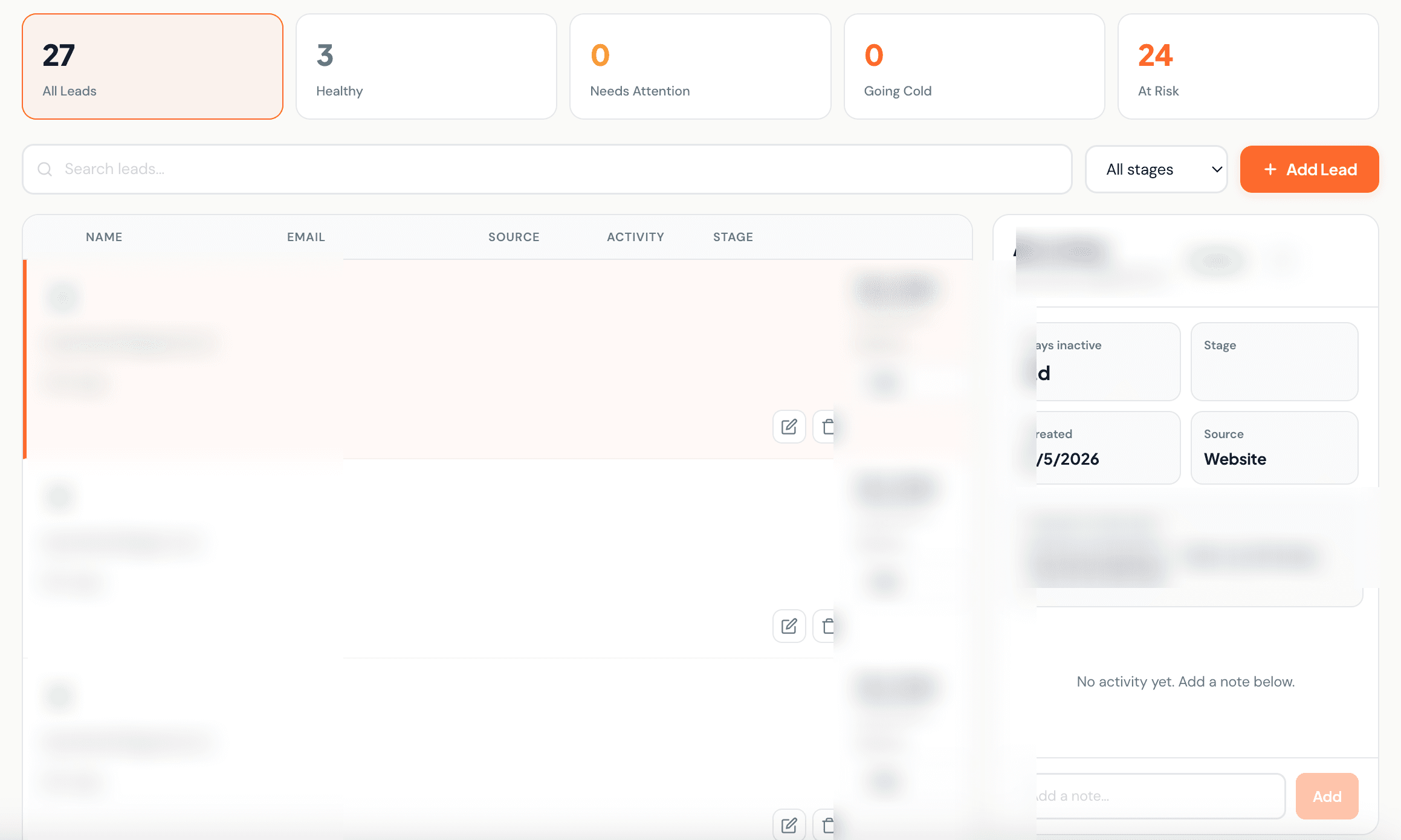
Krubly automatically scores every lead as Healthy, Needs Attention, Going Cold, or At Risk — based on how long it's been since you last engaged with them. Stage-aware thresholds mean a brand new enquiry and a proposal you sent last week are scored on different timelines. At-risk leads pulse red so nothing gets missed.
Drag-and-drop pipeline
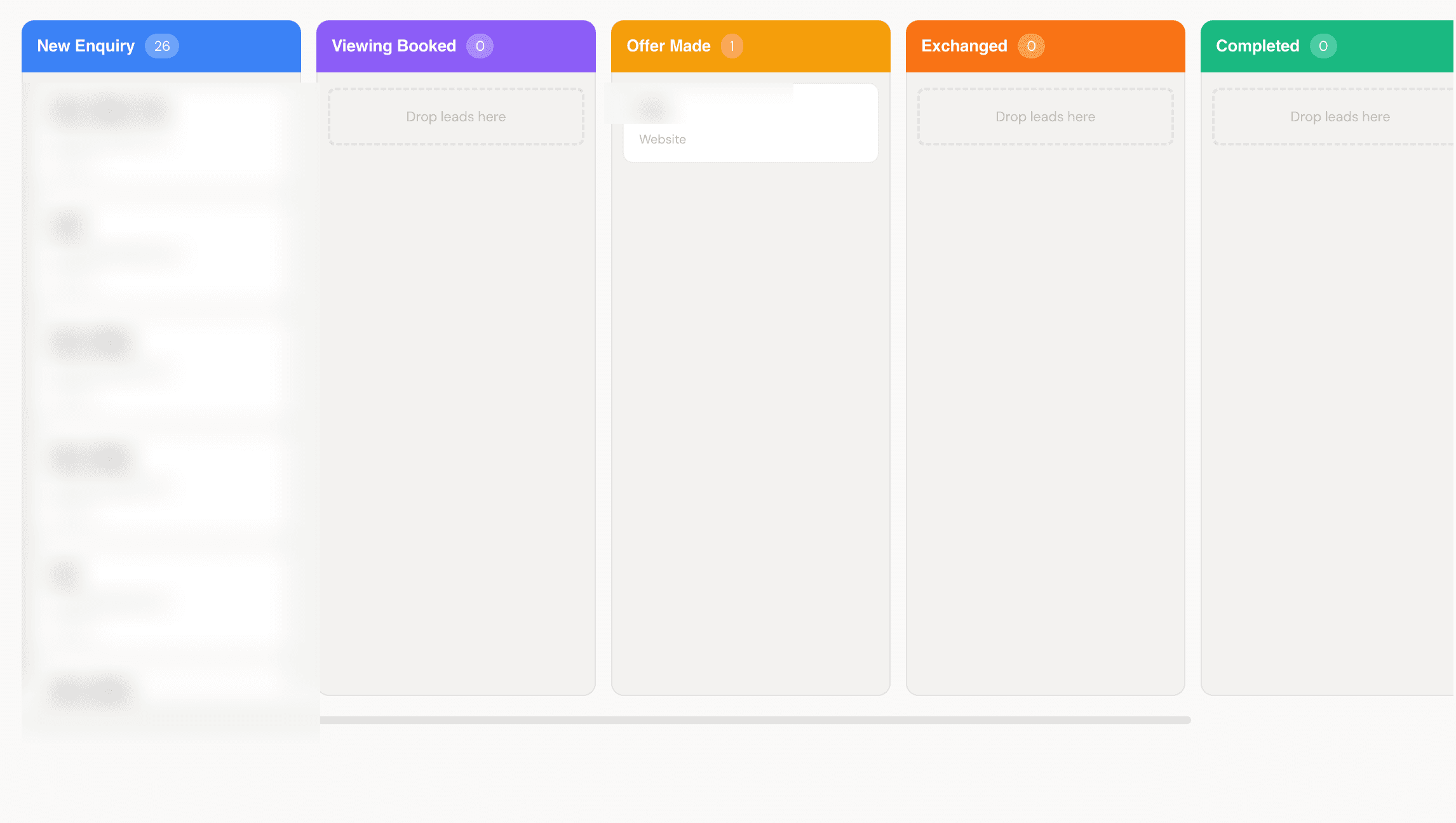
Your full sales pipeline in one visual board. Default stages — New → Contacted → Qualified → Proposal → Closed Won — or configure your own per your business. Drag a card across the board to move a lead forward. Click any card to see the full conversation history, deal value, original message, and activity log.
Activity timeline
Every interaction is logged: stage changes, notes, calls, emails, meetings — all timestamped. Open any lead and see the complete history of every touchpoint. No context lost when you pick up a conversation days later.
Deal values
Attach a deal value to every lead and see your pipeline value at a glance. Know exactly how much revenue is in progress across each stage.
Lead source tracking
Know where every lead came from — your website, a referral, social media, or added manually. Over time, understand which sources convert best.
Krubly CRM lead health scoring — Healthy, Needs Attention, At Risk dashboard
Lead health scores update automatically — At Risk leads pulse red so nothing gets missed
Krubly CRM drag and drop pipeline board with colour coded stages
Drag leads across stages — click any card to see full activity history

One system. Not two tools.

Most CRM tools are separate from your website. You pay for both, configure an integration between them, and hope it doesn't break. When it does — and it will — leads fall through.

Krubly is different. Your website and CRM share the same foundation. When someone submits a form on your Krubly site, they appear in your pipeline in real time — not after a sync, not when someone manually processes it. Immediately. Because the form and the CRM are the same system.

Built for small businesses that can't afford to lose a single lead

Whether you're a consultant, a clinic, a real estate agent, a restaurant taking private dining enquiries, or any service business where every customer matters — Krubly's CRM is built for the reality of running a small business. No complex onboarding. No per-seat pricing. No features you'll never use.

Open your dashboard, see your leads, move them forward. That's it.

Your website should be filling your pipeline — not your inbox

Start building with Krubly and every lead your site generates goes straight into your CRM automatically.

Frequently asked questions

What is a CRM?
CRM stands for Customer Relationship Management. It's a system for tracking your leads and customers — who they are, where they came from, where they are in your sales process, and what your last interaction was. For small businesses, a CRM replaces the spreadsheet or inbox that leads usually disappear into.
Does Krubly's CRM connect to my website automatically?
Yes — and this is what makes it different from adding a CRM tool separately. Krubly's website and CRM are the same platform. Every form submission on your site creates a CRM lead instantly, with no integration, no Zapier, and no manual data entry.
Can I customise my pipeline stages?
Yes. Default stages are provided (New, Contacted, Qualified, Proposal, Closed Won, Lost) but these can be configured to match your actual sales process.
Is the CRM included in the free plan?
Yes — leads, pipeline, and lead management are available on all Krubly plans. Advanced analytics are available on Pro and Agency plans.
Do I need technical skills to use it?
No. The pipeline is drag-and-drop. Adding a lead takes 30 seconds. The health scoring and activity logging happen automatically.