Take Bookings Online — Around the Clock
Let customers book your services directly from your website. Set your availability, define your services, and let Krubly handle the scheduling while you focus on delivering.
How many bookings are you missing right now?
Every customer who wanted to book outside your opening hours and didn't bother calling. Every enquiry that came in via LINE that you forgot to confirm. Every double-booking that happened because you were tracking availability in your head.
For service businesses — salons, clinics, yoga studios, fitness trainers, consultants, tour operators — the booking process is often the weakest link in the customer experience. Customers want to book now, at 10pm on a Sunday, without having to wait for you to respond.
Krubly's booking system lets them do exactly that.
How Krubly bookings work
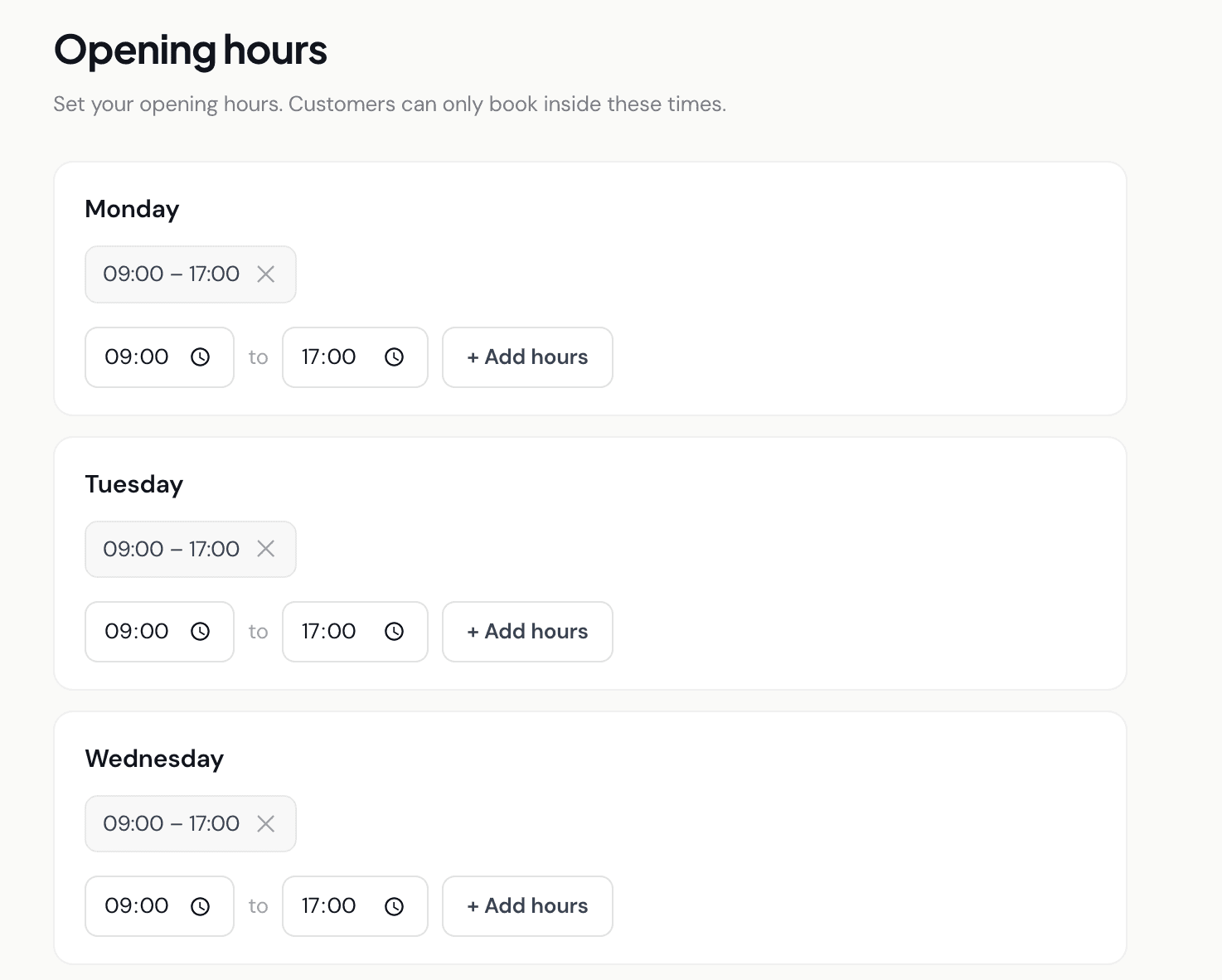
Built for simplicity — not complexity
Krubly's booking system is designed for small service businesses that need a clean, reliable way to take bookings online — not for enterprise scheduling software with dozens of features most businesses never use.
Current version includes: service management, weekly availability, real-time slot booking, customer confirmation emails, double-booking prevention, and CRM lead creation.
Not yet included: calendar grid view (bookings display as a daily list), payment at booking time (price is shown but not charged at booking), customer reschedule requests, or Google Calendar sync. These are on the roadmap.
If you need a simple, reliable booking system connected to your website and CRM — Krubly is built for you. If you need complex multi-staff scheduling or payment at booking, check back as the platform grows.
Perfect for service businesses across Thailand and Southeast Asia
- Salons and beauty businesses — clients book specific services with specific time slots
- Clinics and wellness centres — patients book consultations or treatments
- Fitness and yoga studios — class bookings with capacity limits for group sessions
- Consultants and coaches — client appointments with defined durations
- Tour operators and experience businesses — group bookings with capacity management
- Any service business where customers need to reserve a specific time
Your booking system is part of your website — not a separate tool
Bookings, customer records, and your website all live in one place. No third-party booking plugin. No separate subscription.